Scope-to-paid software for turn and renovation contractors

Scope it, sub it, bill it — and keep the margin you priced.

One scope carries the job from walk-through to paid invoice. Pay and bill stay separate, your vendor cost never reaches the client, and the property managers who hire you approve the bid by email — no login, no account, no app to install.

One scope · six real stages · draft to paid — no login needed for client approval.

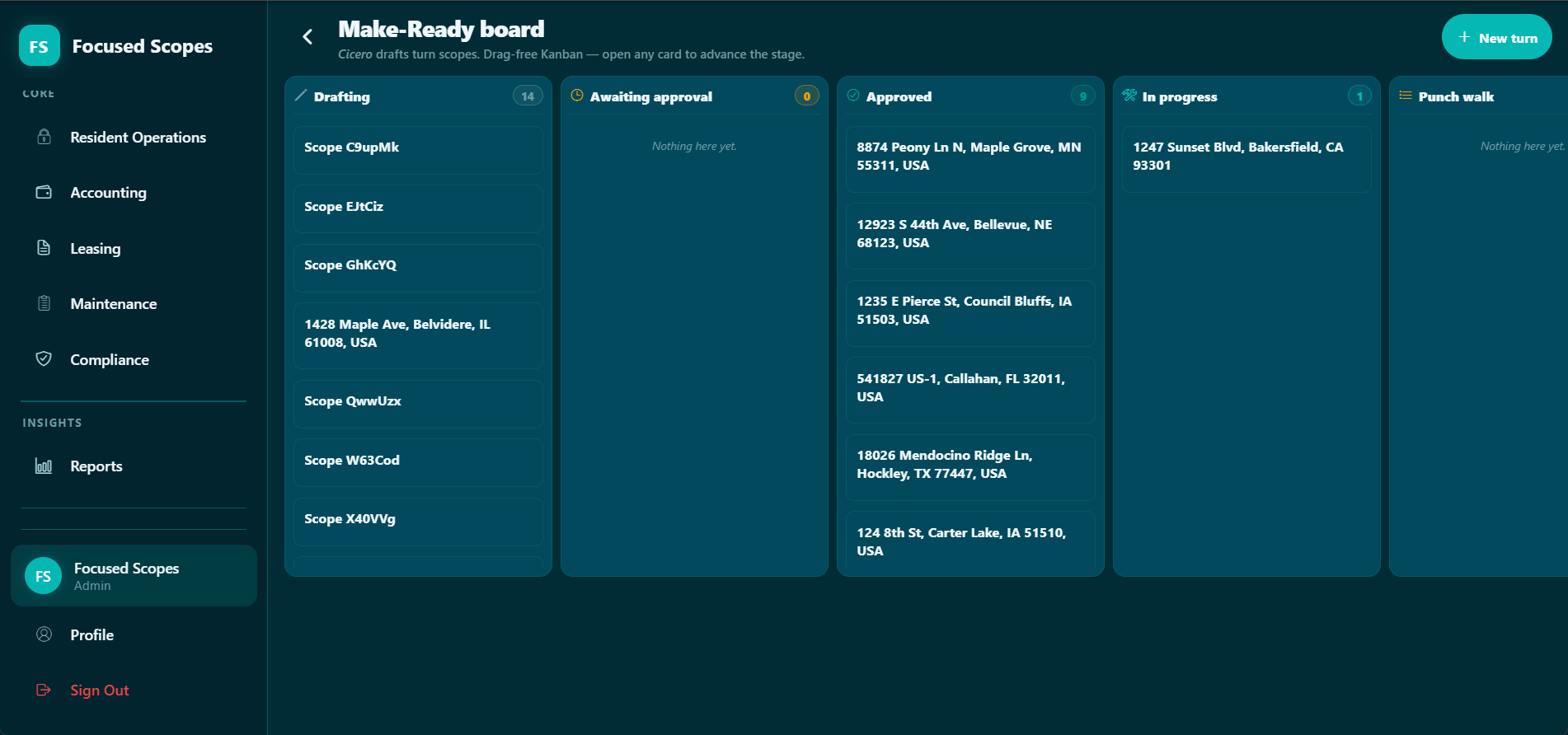
Focused Scopes Make-Ready board — every scope by stage

The life of a scope

One scope, six acts, one scroll.

As you move sideways through the section, the same scope advances act by act — its stage label and progress change, and the capabilities for that act come with it.

01

Draft

Stage · Editing

You walk the property and the scope gets written on the spot. Templates, floor-plan memory and voice capture carry the line items, the AI scoping assistant drafts the rest — and your price and markup are set before anyone commits.

Scope BuilderFocused TemplatesVoice Scope RecorderAI scoping assistant
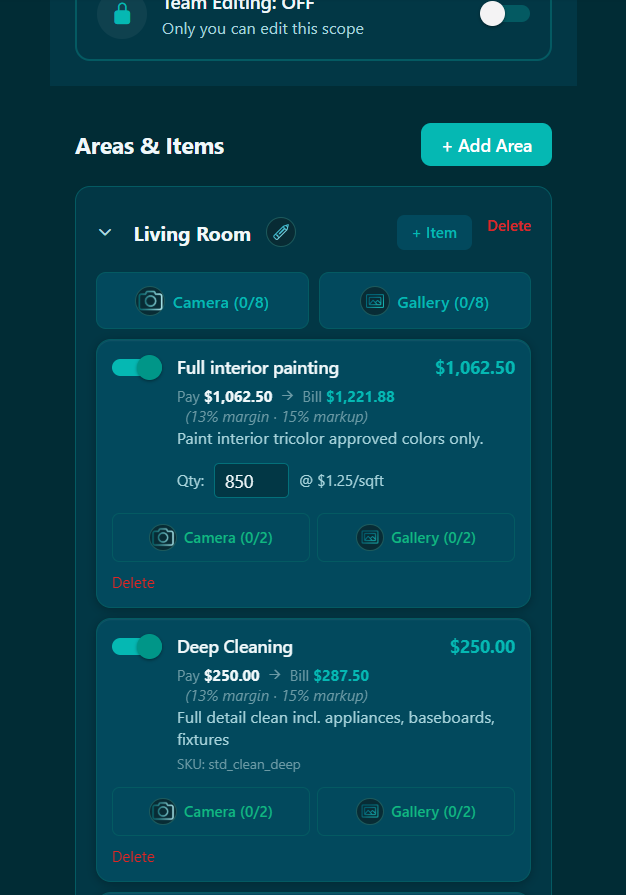
Focused Scopes mobile scope editor — turn line items being drafted
02

Approval

Stage · Pending → Approved

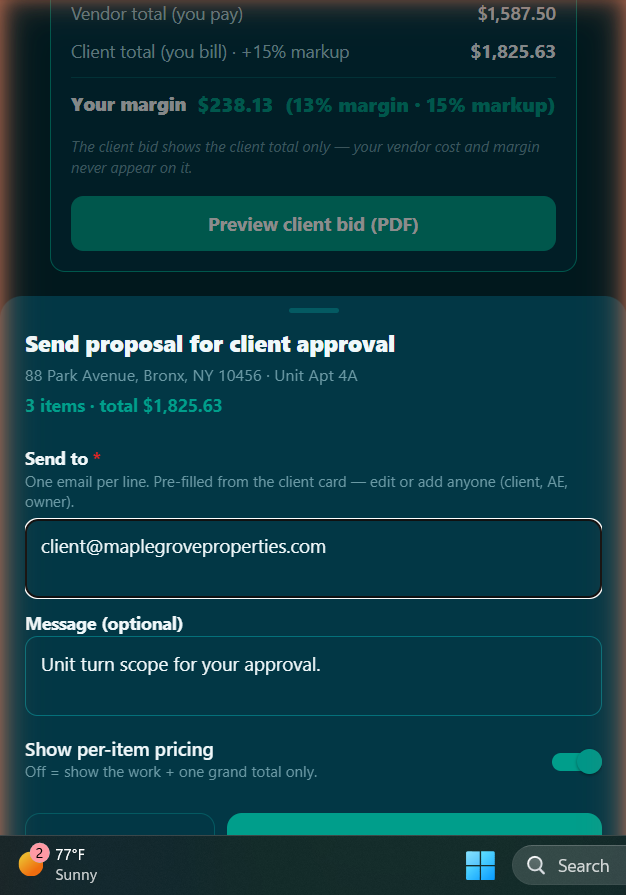
The bid goes to whoever signs it. The property manager or asset manager who hired you approves it by email — no login, no account, no app to install. Pay and bill stay separate from here on: they see your bill, never your vendor cost.

Client / AE approvalPay-vs-bill marginChange orders
Focused Scopes mobile send-for-approval sheet — client sign-off over email
03

Dispatch

Stage · Vendor accepts

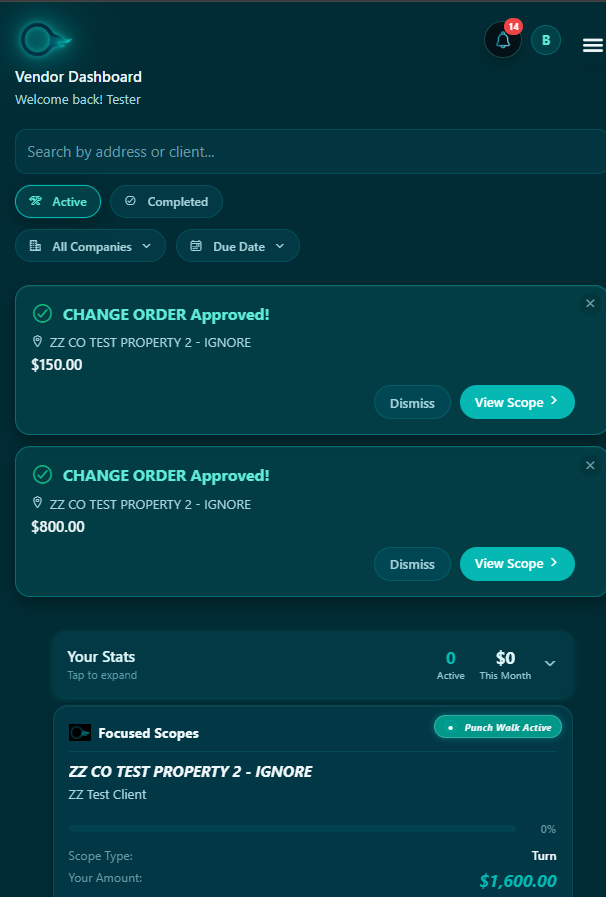
You sub it out. A marketplace vendor or your own crew takes the approved scope, and the assignment carries their pay — never what you billed. The route planner orders the day's stops; work that repeats goes on a schedule.

Vendor MarketplaceCrew ManagementRoute PlannerRecurring Work Orders
Focused Scopes vendor dashboard — an approved scope arriving with change orders and pay
04

Field

Stage · In Progress

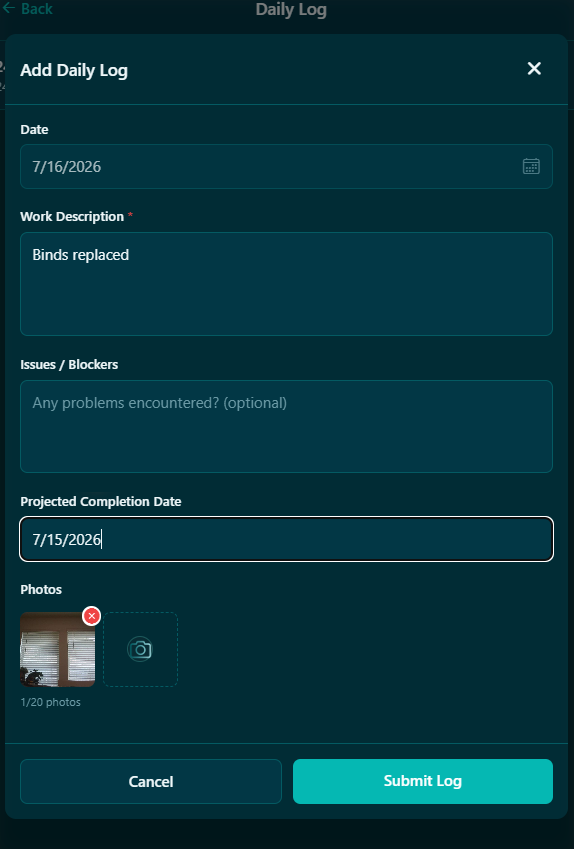
Your crews work where the signal doesn't. Photos, comments and mentions capture offline on mobile and land against the exact line item they belong to — daily logs build the record you hand the client later.

Field photosDaily LogsComments & MentionsOffline capture (mobile)
Focused Scopes daily log entry — field work description with photos attached
05

Punch

Stage · Punch Ready → Verify

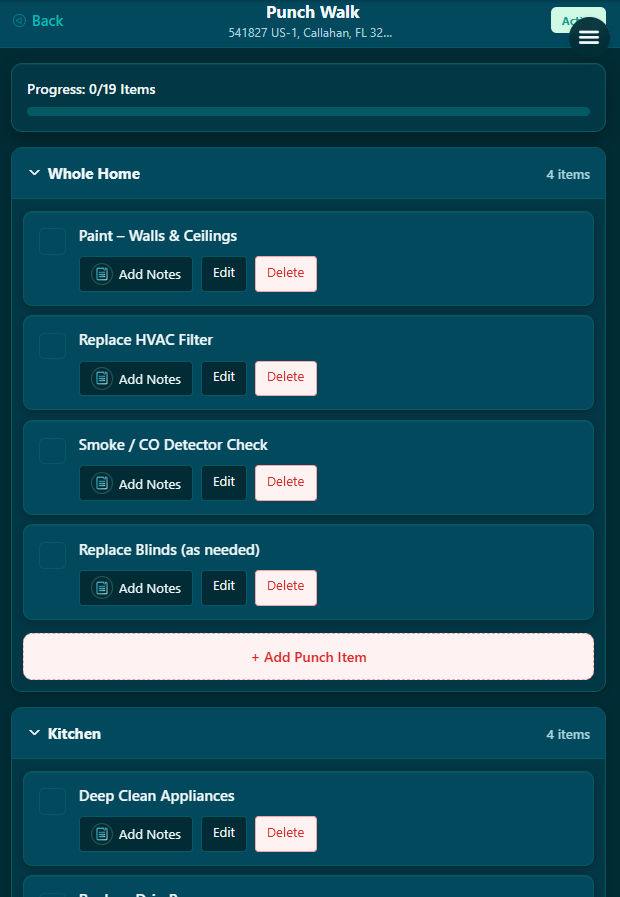
The stage where jobs slip past the date you promised. Six real states, each with an owner — walkthrough recording and vendor handover included.

Punch listsWalkthrough recordingVendor handover walk
Focused Scopes punch walk — room-by-room punch items with notes and progress
06

Close

Stage · All Work Done

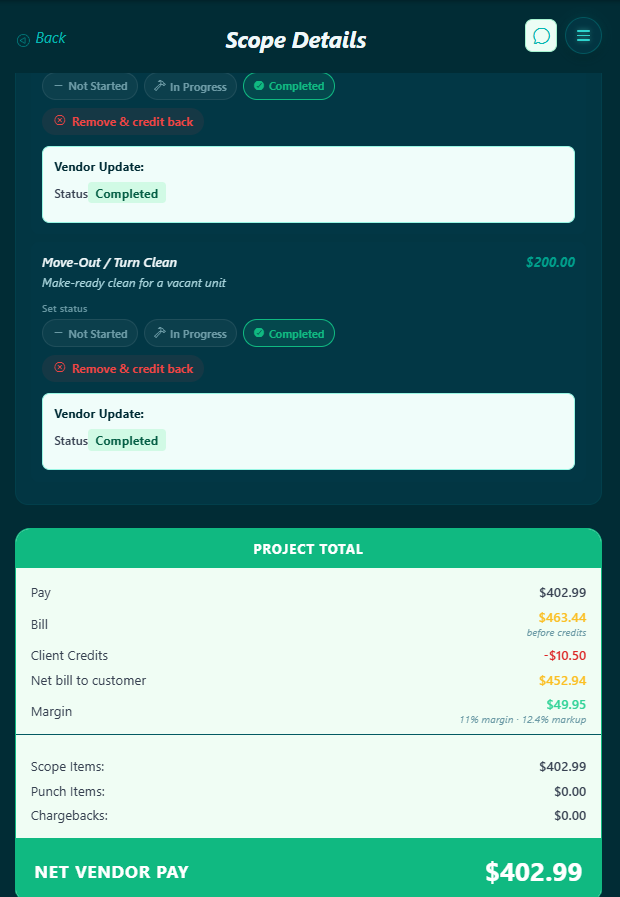
The scope becomes money. You bill the client the price they approved, vendor pay settles separately, and costs land on the right GL code — billing, chargebacks and QuickBooks all downstream of one record.

Billing OverviewGL CodesQuickBooks syncChargebacks
Focused Scopes completed scope — project total with pay, bill, credits, margin and net vendor pay
Draft
Paid
Focused Scopes Make-Ready board — turn scopes across lifecycle columns

The Make-Ready board is the lifecycle, in-product — every unit turn is a card in one of these stages, and opening a card advances it.

Act 05 — the stage that decides your date

Punch is six states,
each with an owner.

This is where turns slip, so we modelled it in full. Not one "punch" checkbox: six named states, each with an assigned owner, so at every point in the walk you know whose move it is.

STATE 01

Work Complete

The crew marks the last line item done. The scope leaves the field and enters the punch pipeline.

FC Owner · Field crew

STATE 02

Punch Ready

Queued for walkthrough. A punch list is generated and the unit is staged for review.

SU Owner · Supervisor

STATE 03

Punch Walk Active

Someone is walking the unit right now, recording items against the exact line they belong to.

PM Owner · Property manager

STATE 04

Punch Walk Review

The walk is done. Findings are reviewed and either accepted or sent back as punch work.

AM Owner · Asset manager

STATE 05

Punch Work In Progress

The remaining items are back with a vendor via a handover walkthrough. Photos land as they close.

VN Owner · Vendor

STATE 06

Verify Punch Items

Each item is verified against the record before the scope is allowed to close. Nothing slips.

SU Owner · Supervisor

Optional add-on suites

We've got you covered.

The core is the scope, draft to paid. Each suite is an optional add-on that defends the margin on that scope from a different side — what the work costs you to run, what the books say you actually made, and what your client gets to see. Switch one on when you need it and it layers onto the core product, no new tool to buy.

Each add-on sits on Property Hub — one record per property and unit, so what the last turn there cost you is in front of you when you price the next one.

Field Ops

Add-on

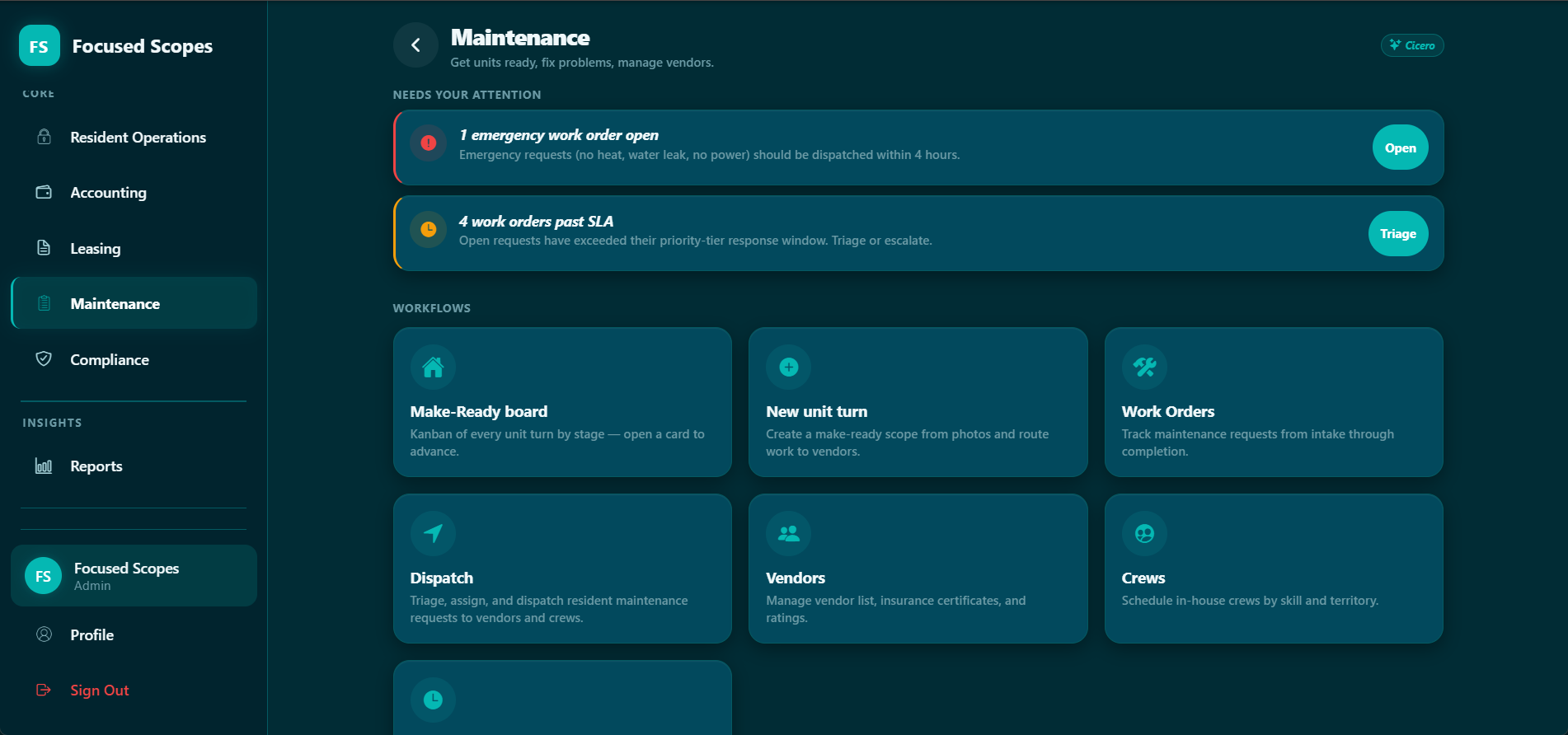
Run the crews and subs without eating the margin: make-ready boards, dispatch, route planning, territories and recurring work.

Make-ReadyDispatchRoute PlannerPreventive
Focused Scopes Maintenance — work orders, dispatch and vendors

Investor Tools

Add-on

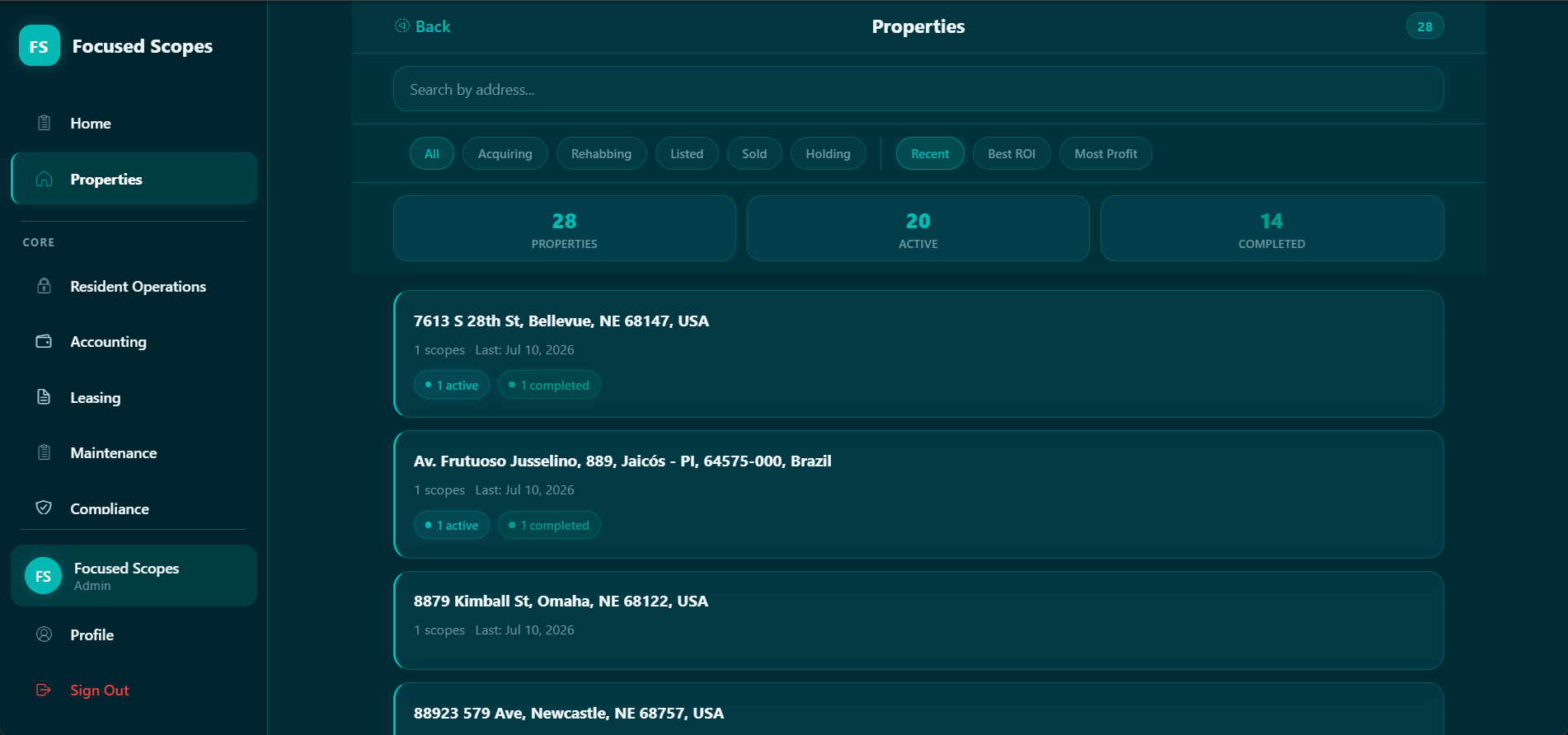
The owner's side of the table, for contractors who also hold doors: portfolio dashboard, property comparison, deal analyzer and acquisition tracking across the properties you already turn.

PortfolioComparisonDeal AnalyzerAcquisitions
Focused Scopes Properties — portfolio comparison and ROI

Tenant Operations

Add-on

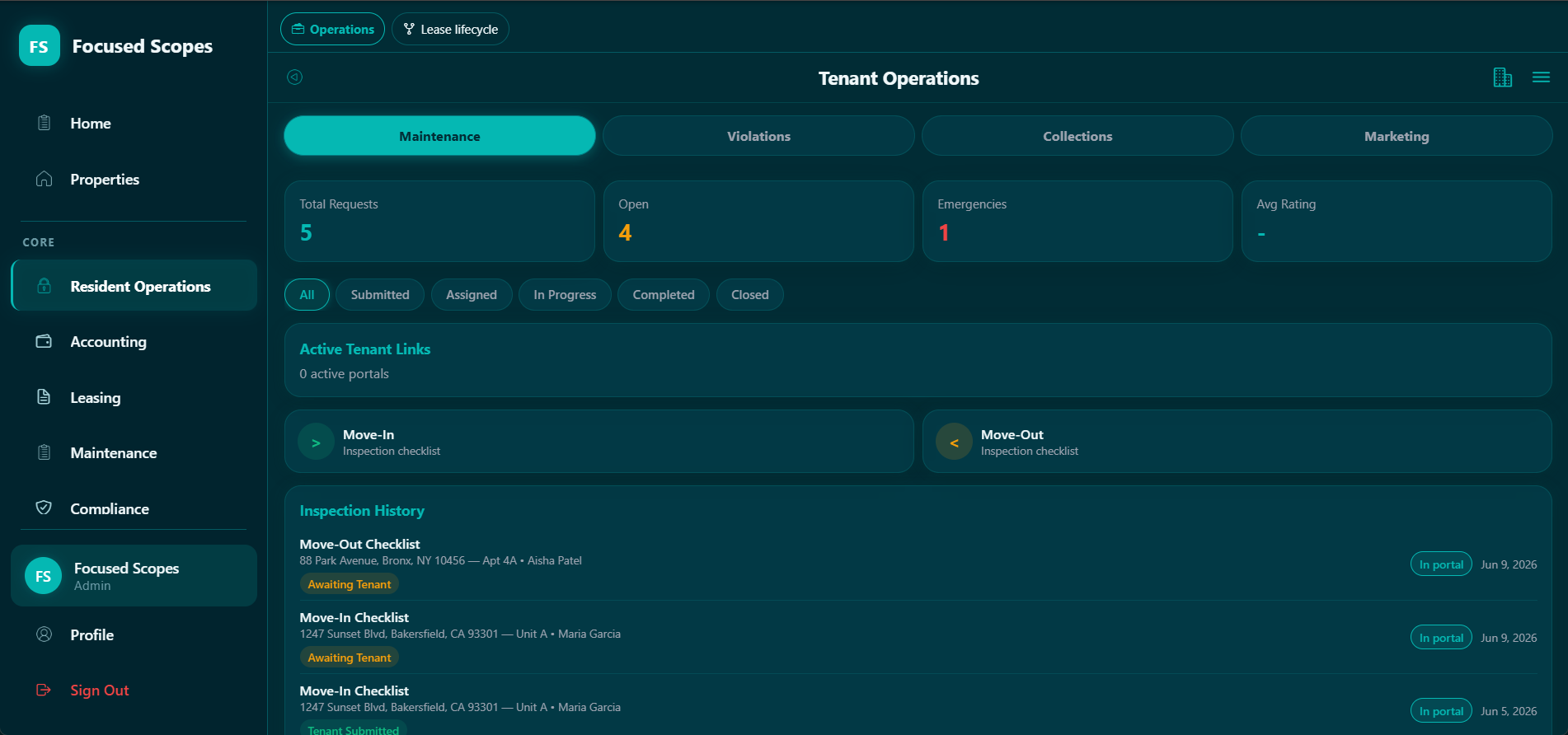
The resident-facing side, for when you also manage the doors you renovate: resident portals, maintenance intake, inspections, vacancy marketing, and collections that check state cure rules and late-fee caps before a notice goes out.

PortalsIntakeInspectionsCompliant collections
Focused Scopes Tenant Operations — requests, inspections and collections

Business Suite

Add-on

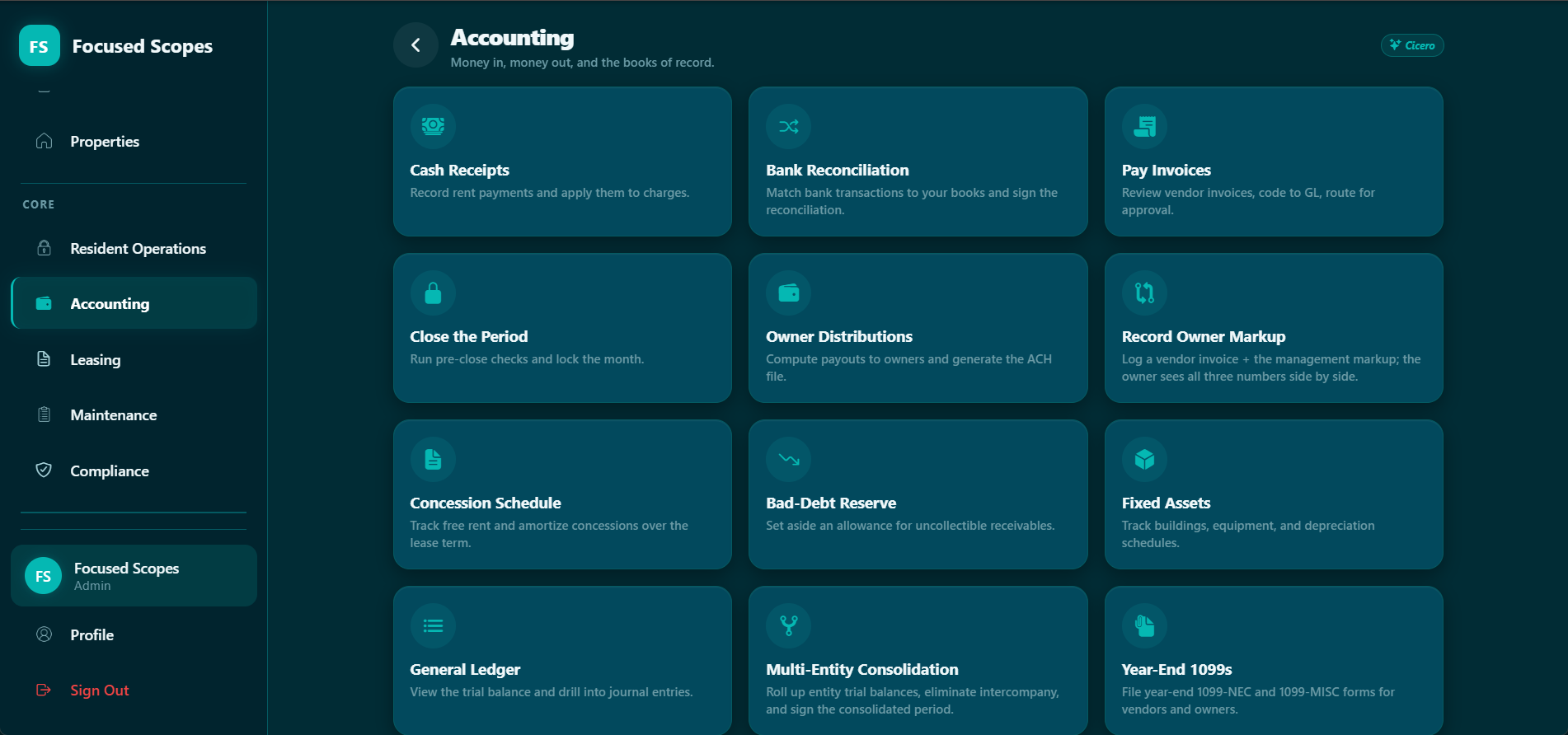
Where the margin you priced gets proven: accounting, general ledger, owner markup, reporting and 1099s for the subs you paid.

Close the PeriodGeneral LedgerOwner Markup1099s
Focused Scopes Accounting — Close the Period, GL, Owner Markup and 1099s

Proof, not spectacle

Check us before you trust us.

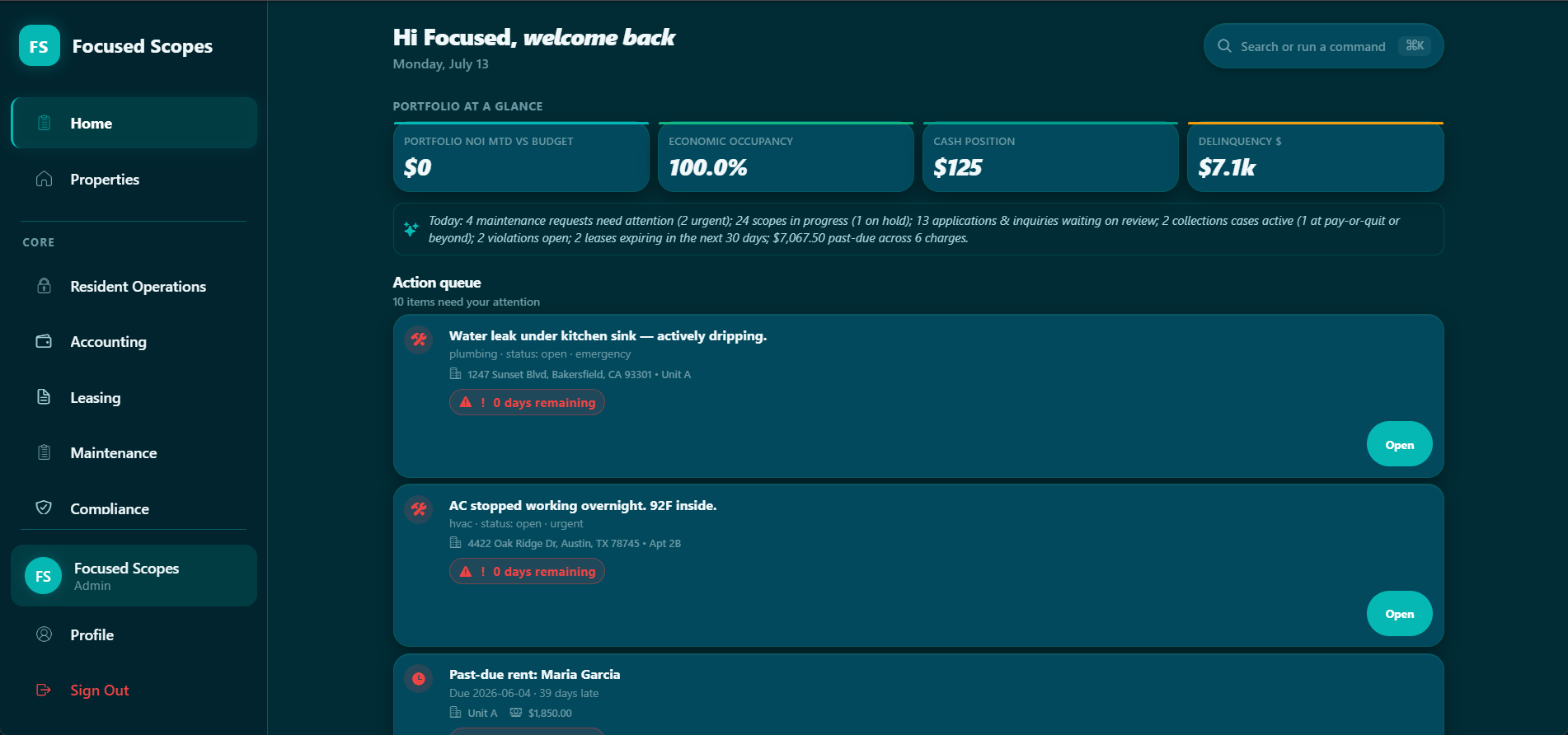
Skeptical and time-poor is the right posture. This is the real Home Dashboard — live product, sample portfolio — showing the numbers a contractor actually opens the app to see. Every claim below is one you can go verify yourself, right now, without talking to anyone here.

Focused Scopes Home Dashboard — full portfolio view with action queue

Pricing

Published pricing, no quote wall.

Flat monthly tiers sized by how many of your own people work in the app. Vendors are always free and unlimited, and the clients who approve your bids never need a seat.

Starter

For the owner-operator scoping solo

$100/mo

billed monthly

Start free trial
  • 1 user (owner only)
  • Unlimited scopes
  • Scope builder & templates
  • Photo documentation
  • Vendor marketplace
  • Email support

Optional add-ons / mo

Field Ops+$79Investor Tools+$49.99Tenant Ops+$99Business Suite+$49

Growth

For multi-crew contractors

$450/mo

billed monthly

Start free trial
  • Up to 51 users
  • Everything in Team
  • Advanced reporting
  • Auto reminders & escalations
  • Scope takeover requests
  • Inactivity alerts
  • Dedicated onboarding

Optional add-ons / mo

Field Ops+$129Investor Tools+$129.99Tenant Ops+$349Business Suite+$129

Enterprise

For regional contractors running many crews

$1,499/mo

billed monthly

Start free trial
  • Up to 200 users
  • Everything in Growth
  • Custom integrations
  • Phone support
  • Volume discounts
  • Dedicated account manager

Optional add-ons / mo

Field Ops+$249Investor Tools+$299.99Tenant Ops+$599Business Suite+$249

14-day free trial on all plans · add-on suites include a 5-day trial · no charge until the trial ends.

See annual rates, seat counts and a stack-cost calculator on the pricing page

Scope the next job before lunch.

Start a free trial and draft your first scope today — carry it all the way to a paid invoice, at the price you set.

Or talk to a person: 832-888-0348 · Mon–Fri, 8am–6pm CT · hello@focusedscopes.com